Control
Privacy controls
Pause agents, site permissions, pop-ups and reviewed links.
Pause agents
Pause agents in the toolbar blocks agent observation and control in the current workspace. Caddi revokes the input lease and waits for every observer to confirm it has stopped. Resume when you are ready. Agents must observe the page again afterwards.
When your Mac locks or sleeps, every workspace is paused. After unlock, choose Continue.
Sensitive fields
Password, one-time-code, payment, token and similar fields are hidden from agents at all times, paused or not. Agents never receive form values, and fields Caddi filled from a saved login stay hidden too.
Take over
While an agent holds control, the toolbar says who is driving and offers Take over. It ends the agent’s control at once; using the page yourself does the same. Control also runs out on its own: up to 30 seconds at a time, renewed by each action, never past five minutes.
Site permissions
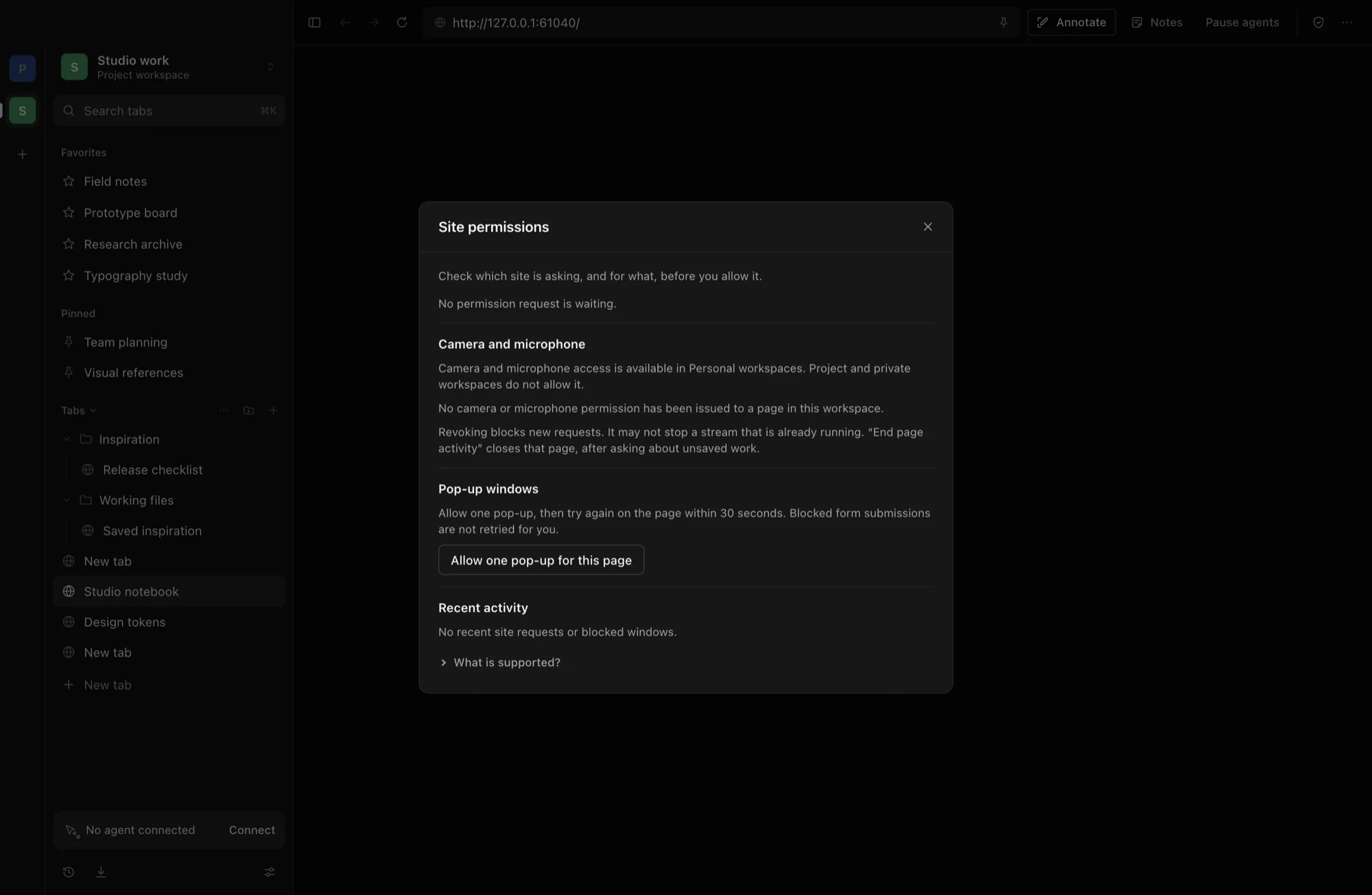
Sites must ask before using notifications, camera or microphone, and you answer in Caddi's own dialog. Camera and microphone are only available in Personal workspaces. Everything else, including screen sharing and location, is denied.
Pop-ups
Pop-ups are blocked by default. You can allow one pop-up for the current page for 30 seconds.
Links from other apps
A link opened from another app does not open on its own. It waits in a short review queue until you choose a workspace for it or dismiss it. Links expire from the queue after ten minutes.