Control
Keyboard shortcuts
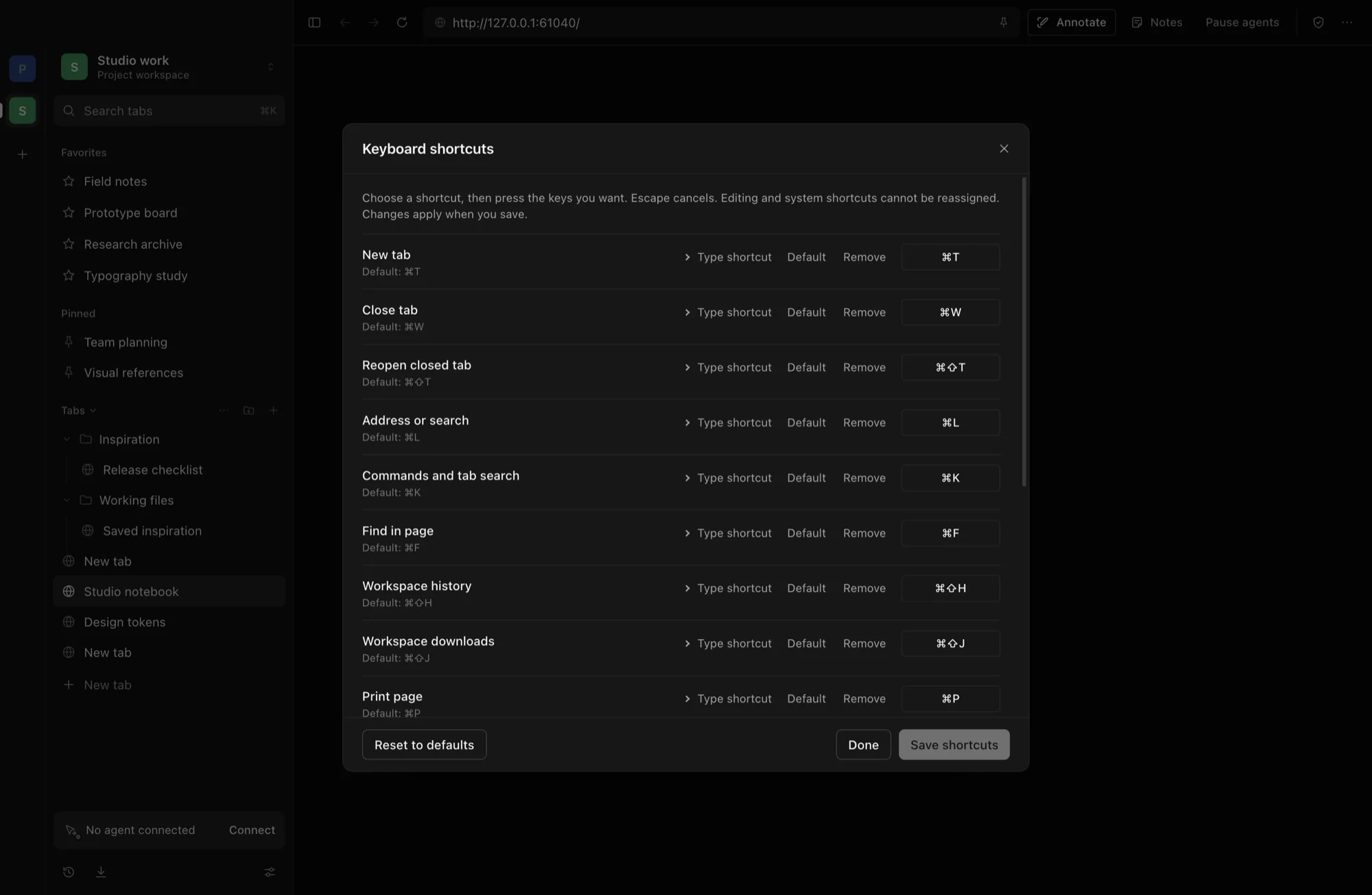
The default shortcuts, and how to change them.
Defaults
| Command | Shortcut |
|---|---|
| New tab | ⌘ T |
| Close tab | ⌘ W |
| Reopen closed tab | ⌘ ⇧ T |
| Address or search | ⌘ L |
| Commands and tab search | ⌘ K |
| Find in page | ⌘ F |
| Workspace history | ⌘ ⇧ H |
| Workspace downloads | ⌘ ⇧ J |
| Print page | ⌘ P |
| Back | ⌥ ← |
| Forward | ⌥ → |
| Reload page | ⌘ R |
| New normal window | ⌘ N |
| New private window | ⌘ ⇧ N |
| Open workspace in new window | Not set |
| Close window | ⌘ ⇧ W |
| Annotate | ⌘ ⇧ A |
| Live | ⌘ ⇧ L |
| Vault: fill or open | ⌘ ⇧ U |
Change them
Open Settings, then General, then Keyboard shortcuts. Choose a command and press the keys you want. Close window, Annotate and Live are fixed, and editing and system shortcuts such as copy, paste and quit cannot be reassigned. Reset to defaults puts everything back.