Show it. Don’t describe it.
Click the thing that should change, write a note, and send it. Your agent gets the element, where to find it in the code, and your words. The Sent list tells you when it has them.
In the 0.1.2 download.
Click, say, send, done.
Notes stay pinned to the element, and you always know whether your agent picked them up.
What the agent gets
Markdown that names things.
Each note names the element, gives a short path to search the code for, and the source file and component when the page exposes them. Copy works with no agent at all.
“Received” means the agent’s own call returned the note. It does not mean the change was made.
# Page notes — Harbor — Pricing
URL: http://localhost:3000/pricing

## 1. button "Save changes"
- Where: `.plans > .actions > button`
- Source: `src/Plans.tsx:42`
- Component: App > Plans > SaveButton
- Note: Make this the primary action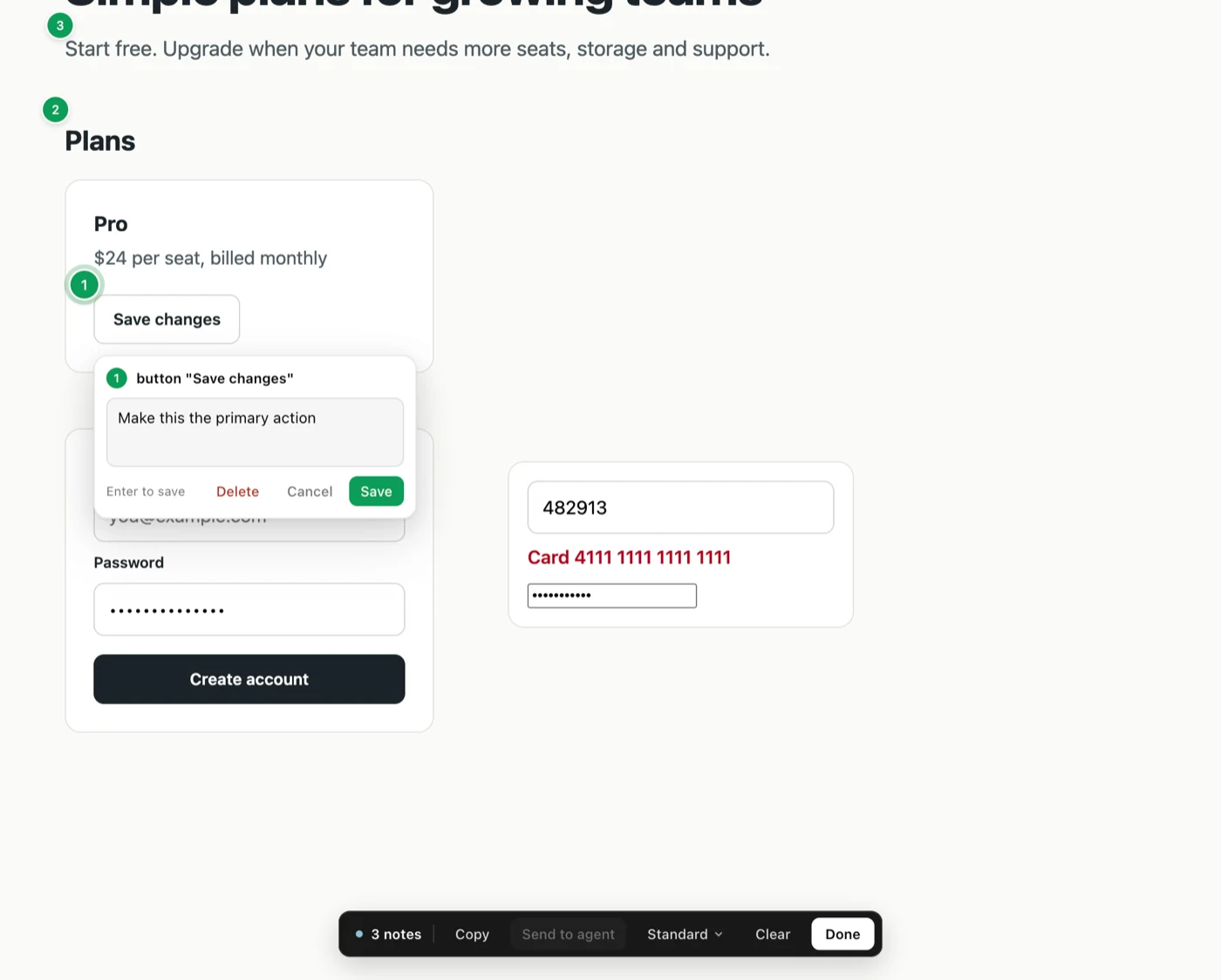
In detail
Annotate and Sent, from the code.
Notes pinned to the element, in a form your agent can act on, and a list that says whether it got them.
Click to mark
Turn on Annotate, hover to see what will be picked, and click. Each element gets a numbered marker. Drag to mark a region.
A note per marker
Write what should change. Press Return to save, edit or delete it later from the marker.
The Annotate bar
A count of your notes with Copy, Send, a detail level, Clear and Done at the bottom of the page. After you send, it says “Sent · waiting for …”, then “Received by …”.
Sent to agents
The count beside Annotate opens one list of everything sent from the workspace, newest first, from Annotate and Live. Each item says Draft, Sent and waiting, Received with when, or that the agent disconnected before reading.
Notes pushed to a waiting agent
An agent waiting on caddi_live_wait gets your notes the moment you send them. Agents can also fetch them by reference. A note is never delivered twice.
Open, copy, send again
From the list you can open the page, copy a note as Markdown, send it again to the same or another agent, view what was sent, or delete it before the agent has it.
Markdown that names things
Each note carries the element’s name such as button “Save changes”, a short path to search the code for, and selected text if you had any.
Source file and component
When the page exposes them, as development builds of common frameworks do, the note includes the source file, line and component chain.
Masked screenshots
Before a screenshot goes with a note, password, payment and other private fields are covered. If masking cannot be confirmed, no image is sent.
Keyboard support
Start with ⌘⇧A, move between markers and the bar with the keyboard, and leave with Escape. Picking pauses agent input in that workspace.
Point at it.
Your agent fixes it.
Download the signed build, or run Caddi from source to try this today.