Agents
Annotate
Mark elements on a page, write notes, and copy or send them.
Start
Press Annotate in the toolbar or ⌘ ⇧ A. While you are picking, agent input in that workspace is paused.
Mark and write
- Click an element, or drag to mark a region. A numbered marker appears.
- Write what should change and press Return to save.
- Click a marker again to edit or delete its note.
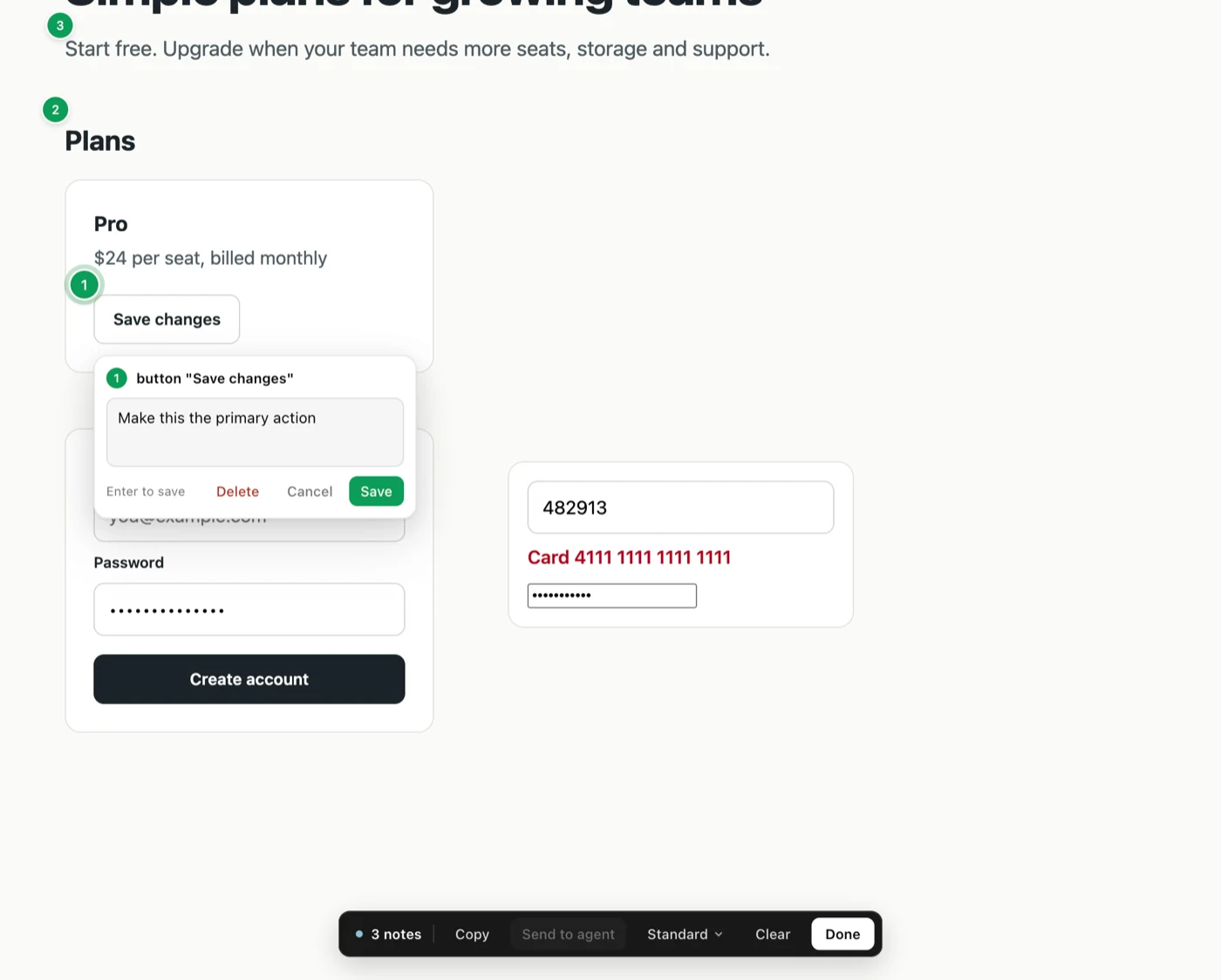
Copy or send
The Annotate bar at the bottom of the page has:
- Copy puts the notes on the clipboard as Markdown. No agent is involved.
- Send to delivers them to an agent connected to the same workspace. If it is waiting on
caddi_live_wait, it gets them at once. The bar then says “Sent · waiting for …” and “Received by …”. - Detail level: compact is one line per note, standard says where each note points, and detailed adds classes, position, accessibility labels and nearby text.
- Clear removes all notes, and Done leaves Annotate.
The Sent list
The small count beside Annotate opens Sent to agents: everything sent from this workspace, newest first, from Annotate and Live. Each item shows Draft, Sent and waiting, Received with when, or that the agent disconnected before reading. From an item you can open the page, copy it, send it again, view what was sent, or delete it before the agent has it, which withdraws its access.
If the agent is not checking for notes, the list says so and offers Copy prompt to paste into the agent. Received means the agent’s call returned the note, not that it made the change.
Limits
- Password, payment and other private fields cannot be picked.
- Screenshots sent with notes have private fields covered. If masking cannot be confirmed, no image is sent. Text drawn on a canvas cannot be detected.
- Annotate does not reach inside iframes.
- Notes last for the current app session.