Environments
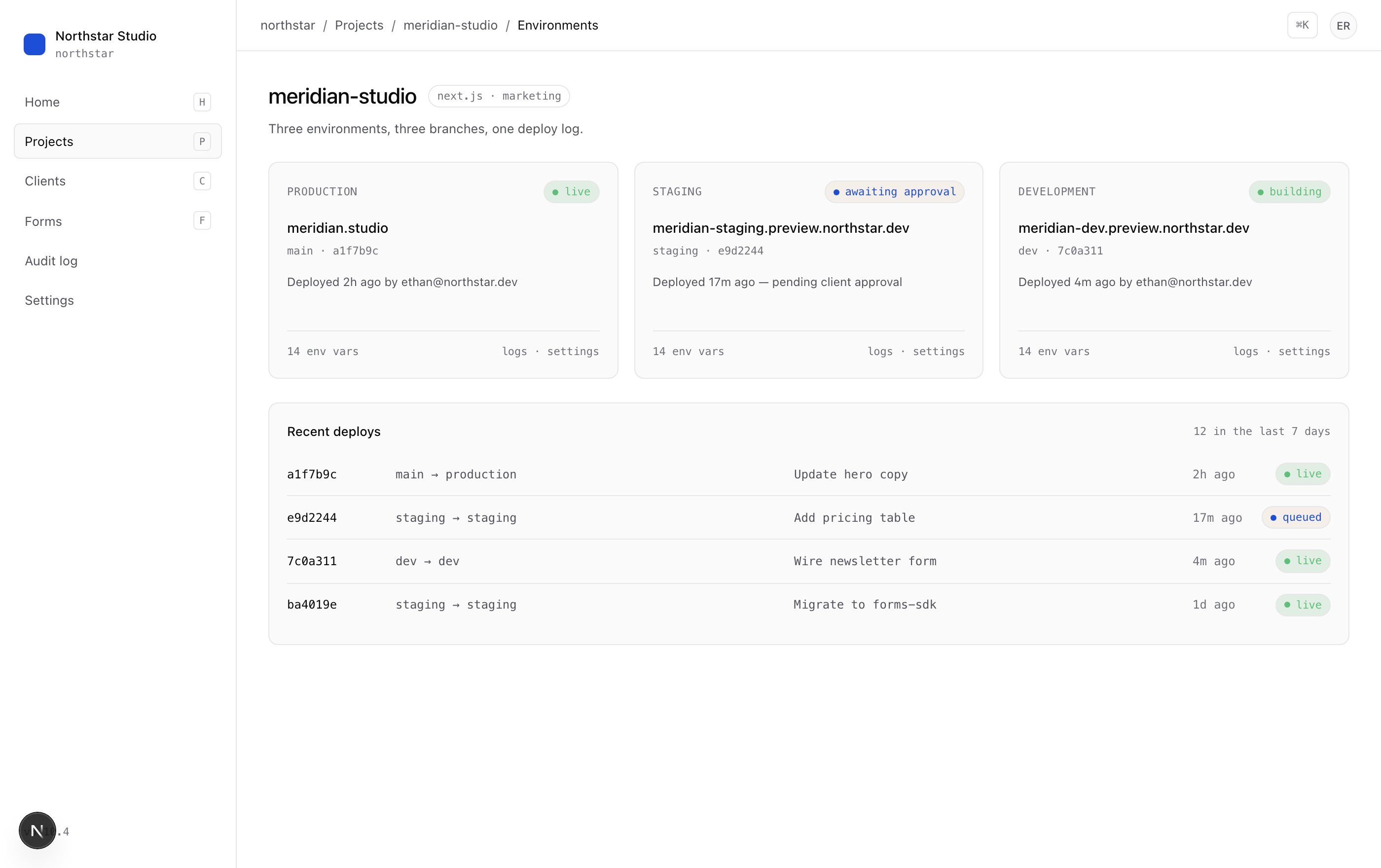
Production, staging, dev — modeled on WPEngine.
Every project ships with three real environments and a promote button. Branded preview URLs included.
The model
Three branches map to three URLs.
Each project gets main, staging, and dev — wired to a Vercel project on your own team, with separately validated env vars. The idea hasn’t changed since WPEngine first popularized it. The execution finally caught up.
What's included
Everything an agency actually needs.
Three branches, three URLs
main → production, staging → staging, dev → dev. Each is a real Vercel deploy on a real Caddi-branded subdomain.
Typed env vars
Per-environment secrets and plain values, validated against the template’s schema. Diff and copy across environments.
Promote with one click
A staging promotion opens a PR, runs your checks, and deploys the moment it merges. Same for prod, optionally gated on client approval.
Full history
Every deploy, every env-var change, every promotion — in the audit log. Roll back to any prior commit on any environment.
Branded preview URLs
Verify your agency domain once and every staging/dev deploy auto-aliases to <client>-staging.preview.<your>.com.
Branch-protection aware
If your repo requires PR reviews, Caddi surfaces that gate clearly instead of blowing up the saga. Your rules, respected.
Promotion
One click, one PR, one audit-log entry.
Promotions are real GitHub pull requests, not magic. Caddi opens the PR, attaches the change summary, requests review when needed, and watches the deploy.
Branded URLs
Your agency domain. Their site.
Verify northstar.dev once and every project gets URLs like meridian-staging.preview.northstar.dev automatically — no Cloudflare console, no manual CNAMEs.
FAQ
Frequently asked.
Does this replace Vercel?
What about preview branches per PR?
Can I use this with a non-Next.js framework?
How does promotion work in practice?
Promote your way back to a normal Tuesday.
Caddi gives every project a real environment story without making you build the plumbing.
Get started