Customer portal
A branded portal your clients actually open.
Requests, form submissions, brand assets, and staging approvals — at portal.<your>.com, on your domain, in your colors.
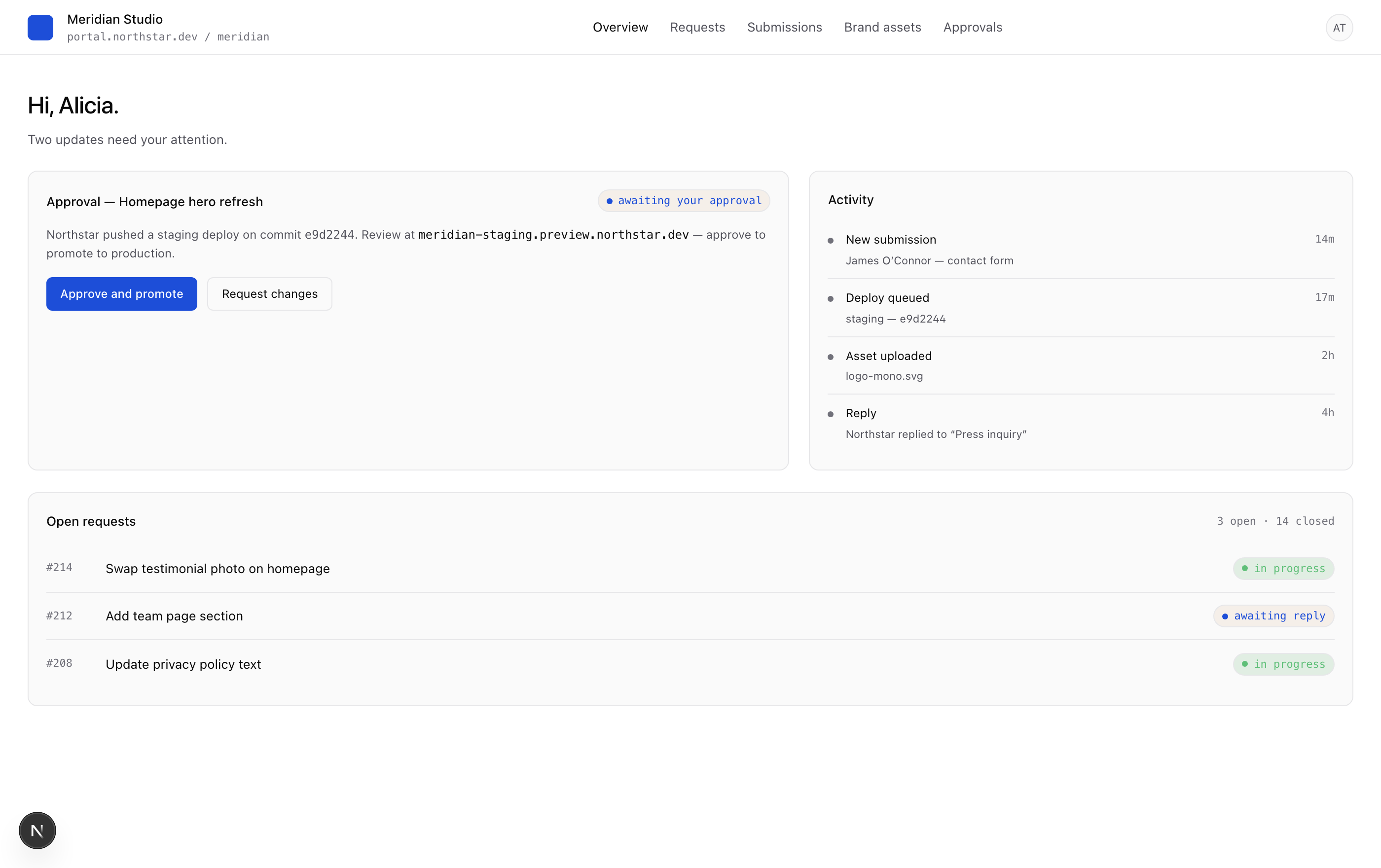
What clients see
A simple, branded home page.
Clients land on a page that tells them exactly two things: what needs my attention and what’s been happening. No dashboard fatigue, no graphs they don’t need.
What's included
Six surfaces, one experience.
Branded by you
Your logo, your colors, your domain — portal.<agency>.com. Your client never sees the word “Caddi.”
Requests with threads
Real ticket-style requests with replies, statuses, and SLAs. No more change requests buried in email threads.
Form submissions
Clients see their own submissions, scoped via RLS. They can reply, archive, or hand them back to your team.
Brand asset vault
Logos, fonts, brand guides, photography — uploaded by either side, versioned, and presigned for safe sharing.
Approval gates
Optionally require client sign-off before a staging deploy promotes to prod. The decision is recorded in the audit log.
Magic-link access
Clients log in with their email — no passwords to manage, no auth surface for you to support. 7-day sessions.
Approvals
Make the staging deploy a yes/no question.
Caddi can require a client click before any staging deploy promotes to production. The client sees a side-by-side preview of staging, a one-line summary of the change, and two buttons: approve and promote or request changes. The decision becomes a row in your audit log.
Brand assets
No more 'send me the logo again'.
A vault of versioned brand files: logo variants, fonts, photography, brand guides. Either side can upload — both sides see it instantly. Files live in your R2 bucket; the portal just generates short-lived presigned URLs.
FAQ
Frequently asked.
Is the portal really white-label?
Can clients only see their own data?
What happens if a client gets locked out?
Do you support per-client custom domains?
Stop being your clients’ inbox.
Caddi’s customer portal turns ‘can you change this?’ into a thread you can resolve in two clicks.
Get started